
Your audio, as text on your Mac.
Whisper Local turns audio and video files, or your microphone, into text entirely on your Mac. It needs no API key or Python, and it does not send your audio or results anywhere.
The app interface, the download page and the user guide are available in Japanese only. This page is an English overview.
- Version 0.3.17
- 4.6 MB
- Notarized by Apple
- macOS 14 or later
- Apple silicon (M1 or later)
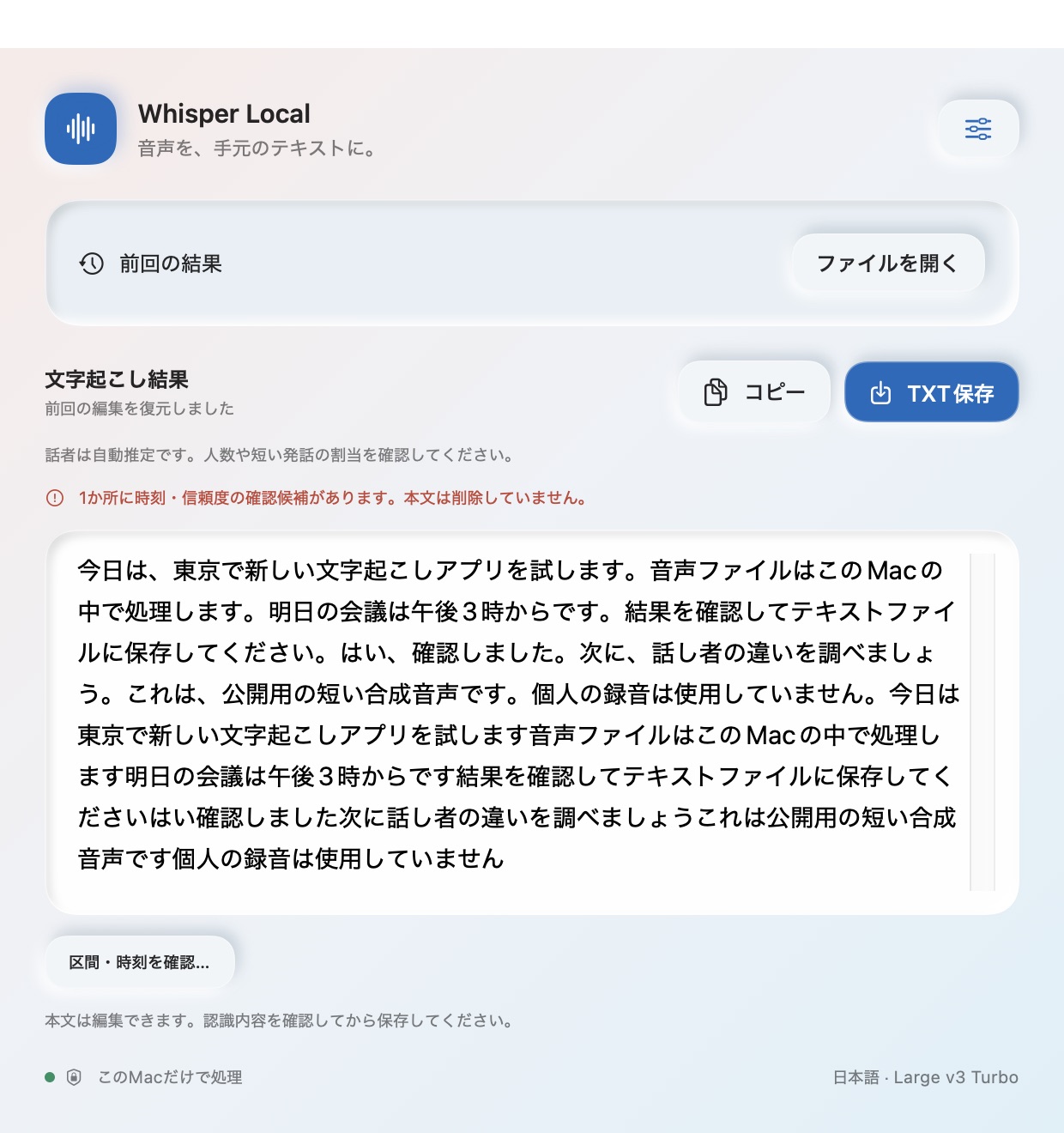
Drop in a file and press Start. That's all.

What to check before you download
- Price
- FreeNo account or API key needed
- Requirements
- macOS 14 or later, Apple silicon (M1 or later)Intel Macs are not supported. Models need 150 MB to 1.6 GB of free space
- App interface
- JapaneseTranscription supports Japanese, English, auto-detect and many other languages
- Permissions
- Microphone and Speech Recognition, for live transcriptionFile transcription needs no permissions
- Network
- Hugging Face (model download) and this site (update check)The update check can be turned off. Audio and results are never sent
- Where data is stored
- Only on this Mac
~/Library/Application Support/WhisperLocal - Latest version
- 0.3.17 (September 29, 2026)
What it does
Whisper Local uses OpenAI Whisper models (Core ML versions) to transcribe on your Mac. Once a model is set up, transcription works offline.
Audio and video files
WAV, M4A, MP3, MP4, MOV and other formats macOS can read, up to 2 hours per file.
Live transcription
Pick a microphone and speak; text appears as you talk. Choose the built-in macOS engine (starts instantly) or Whisper (higher accuracy).
Edit and export in 5 formats
TXT, CSV, SRT, VTT and SBV. Segments with reversed or overlapping subtitle times are flagged for review before export.
Speaker labels (optional)
Splits the transcript by speaker. Setting the number of speakers (2–8) reduces mix-ups. You can rename speakers and fix assignments; changes apply to every export format.
Dictionary and punctuation
Register common misrecognitions as "wrong → right" to replace them automatically. Japanese punctuation can be added to spoken text (on/off).
History and menu bar
Original results and your edits are saved on your Mac and restored next time. The app can stay in the menu bar and accept requests from apps you allow on the same Mac.
Network and data
Whisper Local connects to the network in only these 2 cases. In neither case does it send your audio, transcripts, edits, history or dictionary. It sends no usage statistics.
| When | Where | What | Can it be turned off? |
|---|---|---|---|
| Model download | Hugging Face | Downloads model files. No audio or results are sent | Only happens when you ask for a model |
| Update check (after launch and once a day) | This site (k386.sub.jp) | Fetches update information. The installer is downloaded only if you choose to update | Yes, in Settings |
- Whisper transcription runs in a separate process that is blocked from network access.
- The built-in macOS engine for live transcription processes speech on the device. If recognition data for a language is missing, macOS may download it from Apple.
- The microphone is used only between Start and Stop.
- Other apps on the same Mac (such as icRec) can send transcription requests only from inside the Mac (127.0.0.1) and only for folders you allow. Connecting icRec takes one confirmation: press “Whisper Local と連携する” in icRec, then “連携する” (Connect) in Whisper Local; the setup is filled in automatically and no token is put in a URL.
FAQ
Why is it free?
I built it for my own work and want other Mac users to be able to use it too. There are no ads and no paid version.
Does it work on Intel Macs?
No. It requires a Mac with Apple silicon (M1 or later) and macOS 14 or later.
Is it accurate?
Speech recognition and speaker labels can contain errors. Always review the results before using them.
How do I uninstall it?
Delete "Whisper Local" from the Applications folder. Models, history and live recordings are stored in ~/Library/Application Support/WhisperLocal; delete that folder too if you no longer need them.
Read more (in Japanese)
Longer articles about Whisper Local on note and Zenn. All articles
- 社外に出せない会議の録音を、Mac の中だけで文字にする(無料・API キー不要)
Why and how to transcribe recordings without uploading them, with screenshots
Download Whisper Local
Version 0.3.17, released September 29, 2026. The download page, including how to verify the file, is in Japanese.
Trademarks
- Apple, Mac, macOS, Core ML and Numbers are trademarks or registered trademarks of Apple Inc. in the U.S. and other countries and regions.
- OpenAI is a trademark or registered trademark of OpenAI. Whisper is the name of a speech recognition model released by OpenAI. Whisper Local is an app by K386 and is not provided or endorsed by OpenAI.
- Hugging Face is a trademark of Hugging Face, Inc.
- Excel is a trademark or registered trademark of Microsoft Corporation.
- Python is a registered trademark of the Python Software Foundation.
- Intel is a trademark of Intel Corporation or its subsidiaries.
- Other company, product and service names on this site are trademarks or registered trademarks of their respective owners. ™ and ® marks are omitted in the text.
- K386 and Whisper Local are not affiliated with, endorsed or sponsored by any of the companies above.